Partner CRM vs Salesforce for Charities: Which Is Better?
A head-to-head comparison of Plinth's Partner CRM and Salesforce Nonprofit for UK charities. Covers pricing, features, implementation time, and which suits different organisation types.
Salesforce is the most recognised CRM in the world. Plinth's Partner CRM is purpose-built for UK charities managing partner organisations and referral networks. They solve fundamentally different problems, but charities often evaluate both when looking for a relationship management system. This guide provides a thorough, honest comparison to help you decide.
TL;DR: Salesforce Nonprofit is a powerful, customisable platform best suited to large charities with dedicated IT capacity and donor-centric workflows. Plinth's Partner CRM is designed for charities managing partner organisations, referral networks, and multi-agency collaboration — and it ships faster at a fraction of the cost. Many charities benefit from using both for their respective strengths.
What you'll learn: How Plinth and Salesforce compare across pricing, features, setup time, and suitability for different types of charity work.
Who this is for: Infrastructure organisations, VCSE networks, and partnership leads comparing CRM options for managing partner relationships.
The Core Difference
The most important distinction is not a feature comparison — it is a question of purpose.
Salesforce Nonprofit is a customisable CRM platform designed primarily around donor and supporter relationships. It tracks individual contacts through fundraising journeys, manages campaigns, and supports complex reporting across large datasets. It can be configured to do almost anything, but that configuration requires significant investment.
Plinth Partner CRM is a purpose-built system for managing relationships with partner organisations, making referrals between organisations, and tracking outcomes across local networks. It is designed for charities that work collaboratively with other organisations — not for managing individual donor databases.
This distinction matters because choosing a tool designed for a different job leads to expensive workarounds. Research from Charity Digital suggests that 41% of charities that adopted a general-purpose CRM found they needed significant customisation to make it fit their workflows.
Feature-by-Feature Comparison
| Capability | Plinth Partner CRM | Salesforce Nonprofit |
|---|---|---|
| Partner organisation records | Built in — name, services, contact details, connection status | Requires custom objects and configuration |
| Referral tracking | Full lifecycle — Pending, In Progress, Accepted, Completed, Rejected | Requires custom build or third-party app |
| Referral cascading | Automatic — if one partner rejects, it moves to the next | Not available without custom development |
| Coverage mapping | MapBox map with ward/LAD boundaries, colour-coded by organisation | Requires third-party mapping integration |
| Embeddable service directory | Built in — iframe widget for council/partner websites | Requires Experience Cloud (additional cost) |
| Donor management | Available in the wider Plinth platform (relationship-fundraising CRM with Gift Aid tracking), though not part of the Partner CRM module itself | Core strength — full donor lifecycle |
| Fundraising campaigns | Geared to major-donor, trust and foundation relationship fundraising rather than high-volume campaign management | Comprehensive campaign management |
| Email marketing | Not included | Via Marketing Cloud (additional cost) |
| Individual contact records | Via member management | Core feature |
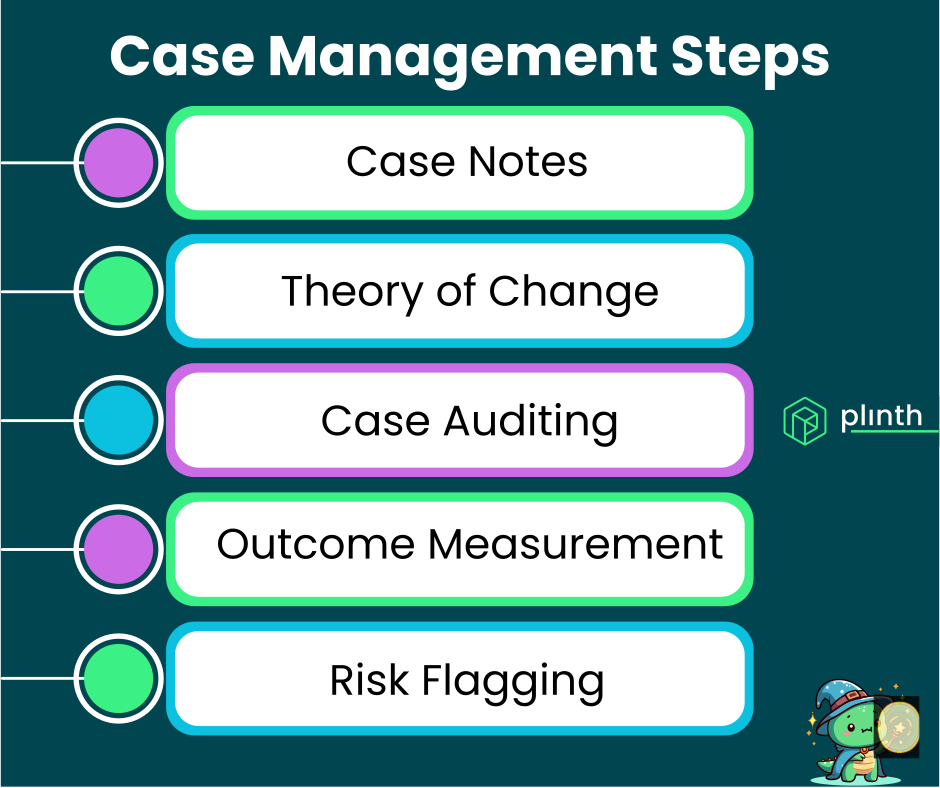
| Case management | Built in | Requires Service Cloud or customisation |
| Grant management | Built in | Requires third-party app or custom build |
| AI features | AI-powered analysis and summaries | Einstein AI (analytics, prediction, scoring) |
| UK charity register checks | Charity Commission and Companies House built in | Requires integration or manual process |
| GDPR compliance | UK-first design, built in | Configurable but requires setup |
| Consent management | Built into referral flow | Requires configuration |
Pricing Comparison
Cost is often the deciding factor, and the full picture is more nuanced than headline prices suggest.
Plinth Partner CRM
- Subscription: Accessible pricing scaled to charity size, including a free tier for small organisations
- Implementation: Weeks, not months — templates and CSV import reduce setup time
- Ongoing administration: Designed to be managed by non-technical staff
- Training: Intuitive interface; most teams are productive within days
- Total first-year cost (typical mid-sized charity): Significantly lower than Salesforce
Salesforce Nonprofit
- Licences: 10 free Enterprise Edition licences via Power of Us programme
- Additional licences: Approximately £40-£60 per user per month
- Marketing Cloud: £1,000-£3,000+ per month (if needed)
- Experience Cloud: £3-£23 per member per month (if needed for portals)
- Implementation: £5,000-£20,000 for a mid-complexity deployment with a consulting partner
- Ongoing administration: Most charities need a part-time or full-time Salesforce administrator (£15,000-£35,000 annually)
- Total first-year cost (typical mid-sized charity): £15,000-£40,000+
A 2024 analysis by Salesforce.org partners estimated that the average UK charity spends £18,500 in their first year with Salesforce when accounting for all costs. The "free" licences represent approximately 12% of total expenditure.
Implementation and Time to Value
Plinth Partner CRM
- Typical implementation: 2-4 weeks from sign-up to live system
- Data migration: CSV import for partner records; support provided
- Configuration: Pre-built for partner management; configurable referral forms without code
- Training: Most teams need 1-2 short sessions
- First referral sent: Often within the first week
Salesforce Nonprofit
- Typical implementation: 3-9 months for a full deployment
- Data migration: Requires careful mapping, often with consultant support
- Configuration: Extensive customisation needed for non-standard use cases (partner management, referral tracking)
- Training: Typically requires multiple training sessions and ongoing support
- First productive use: Often 2-4 months after project start
The difference in implementation speed is significant for resource-constrained charities. Every month spent configuring a CRM is a month of managing relationships via email and spreadsheets.
When Salesforce Is the Better Choice
Salesforce Nonprofit genuinely excels in specific scenarios. Being honest about its strengths helps charities make better decisions.
Large donor databases. If you manage tens of thousands of individual donors with complex giving patterns, Salesforce's data model is hard to beat.
Complex fundraising journeys. Multi-channel campaigns, major donor cultivation, legacy giving programmes, and sophisticated segmentation are Salesforce strengths.
Enterprise integration needs. If you already use Salesforce in another part of your organisation, or need to integrate with enterprise finance, HR, or ERP systems, the Salesforce ecosystem offers more connectors.
Dedicated IT capacity. If you have a Salesforce administrator (or can afford one) and your team is comfortable with the platform, Salesforce's flexibility becomes an asset rather than a burden.
Existing investment. If your charity has already invested in Salesforce implementation and training, switching costs may outweigh the benefits of a purpose-built alternative for non-donor workflows.
When Plinth Partner CRM Is the Better Choice
Plinth's Partner CRM is designed for a fundamentally different type of relationship management. It is the better choice when:
You manage partner organisations, not donors. If your primary relationships are with other charities, councils, housing associations, health services, or community organisations, Plinth is built for exactly that.
You need referral tracking. Sending referrals between organisations, tracking acceptance, and recording outcomes is core Plinth functionality. Building equivalent capability in Salesforce requires significant custom development.
You work across a local network. Infrastructure organisations, CVS bodies, and place-based initiatives that coordinate services across multiple partners benefit from Plinth's network-level features like referral cascading and coverage mapping.
You need to demonstrate partnership impact. Commissioners and funders increasingly want evidence of collaboration and referral outcomes. Plinth's analytics and CSV exports provide this out of the box.
You want to be live quickly. Charities that cannot afford months of implementation benefit from Plinth's rapid setup.
You have limited technical capacity. Plinth is designed for non-technical users. No Salesforce administrator required.
According to the Charity Commission's annual report, partnership working is cited as a strategic priority by 65% of UK charities, yet fewer than 15% have a dedicated system for managing those partnerships.
Can You Use Both?
Yes, and many charities do. The most effective approach is to use each tool for its strengths.
Plinth for partner and network management: Manage partner organisations, make referrals, track outcomes, and report on collaboration to commissioners.
Salesforce for donor and fundraising management: Manage individual supporters, run campaigns, process donations, and cultivate major donors.
Integration approach: Start light. Export key data via CSV for reporting purposes. Avoid complex bi-directional integrations until you have clear evidence of what data needs to flow between systems.
| Use Case | Recommended Tool |
|---|---|
| Managing partner organisations | Plinth |
| Sending and tracking referrals | Plinth |
| Mapping service coverage | Plinth |
| Embeddable service directory | Plinth |
| Case management for beneficiaries | Plinth |
| Grant management and compliance | Plinth |
| Individual donor management | Salesforce |
| Fundraising campaigns | Salesforce |
| Email marketing to supporters | Salesforce (Marketing Cloud) |
| Major donor cultivation | Salesforce |
| Legacy giving programmes | Salesforce |
Frequently Asked Questions
Can Salesforce do everything Plinth does?
In theory, Salesforce can be configured to do almost anything. In practice, building partner management, referral tracking, referral cascading, coverage mapping, and an embeddable service directory in Salesforce would require substantial custom development — likely costing more than several years of Plinth subscription. And you would still need to maintain that custom code.
Is Plinth trying to replace Salesforce?
No. Plinth and Salesforce solve different problems. Plinth replaces spreadsheets, email chains, and ad-hoc processes for managing partner relationships and referrals. It complements Salesforce rather than competing with it in most charity contexts.
What about data security?
Both platforms take data security seriously. Plinth is designed with UK GDPR compliance from the ground up, with consent management built into referral workflows. Salesforce offers enterprise-grade security but requires careful configuration to meet UK data protection requirements.
Can we migrate from Salesforce to Plinth?
If you are using Salesforce primarily for partner and referral management (rather than donor management), migrating to Plinth is straightforward via CSV export and import. Plinth's team provides migration support. If you are using Salesforce for donor management and want to add partner management, you can run both systems alongside each other.
What if we grow and need more features?
Plinth is an integrated platform that also offers case management, grant management, and member tracking. As your needs grow, you can activate additional features within the same platform rather than buying and integrating separate tools.
How do the AI features compare?
Salesforce Einstein offers predictive analytics, donor scoring, and campaign optimisation — valuable for fundraising. Plinth's AI focuses on case analysis, impact reporting, and operational insights — valuable for service delivery and grant compliance. The AI capabilities are complementary rather than overlapping.
Recommended Next Pages
Best CRM Software for Charities and Nonprofits in 2026 — Compare Plinth with Beacon, Donorfy, ThankQ, and Bitrix24 as well.
The Complete Guide to Partner CRM for Nonprofits — Understand the Partner CRM category and why it exists.
How to Manage Stakeholder Relationships as a Charity — Practical relationship management strategies.
Salesforce vs Plinth: Grant Management Showdown — How the platforms compare for grant management specifically.
Last updated: February 2026
For more information about Plinth's Partner CRM or to see it compared with your current system, contact our team or schedule a demo.