Case Management for Charities: A Beginner's Guide
A practical introduction to case management for charities new to structured case tracking. Learn the basics of setting up and running an effective case management system.
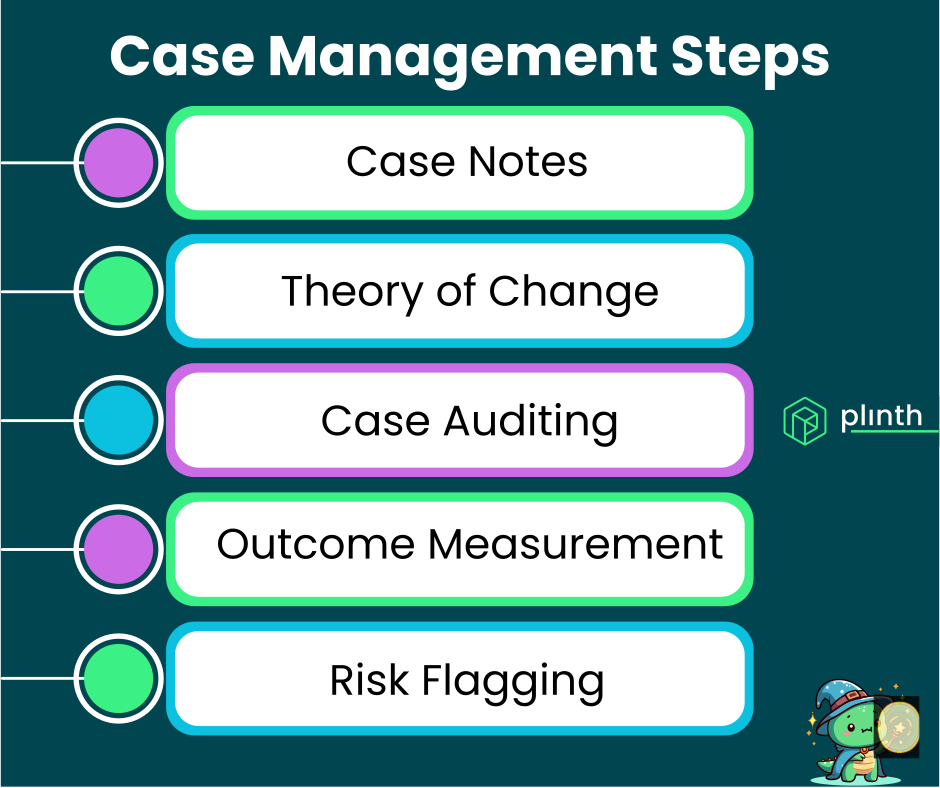
If your charity is new to formal case management, getting started can feel overwhelming. This guide breaks down the essentials, helping you understand what case management is, why it matters, and how to begin implementing it in your organisation.
What you'll learn: The fundamentals of case management explained simply for organisations just starting out.
Practical steps: How to get started without overcomplicating things.
Common questions: Answers to the questions most beginners ask.
Who this is for: Small charity managers, trustees, and frontline workers new to structured case management.
Do You Need Case Management?
Not every charity needs formal case management. Here's how to decide if it's right for you.
You Probably Need Case Management If...
You Work with People Over Time: If you support individuals through ongoing relationships rather than one-off interactions, case management helps track those relationships.
Multiple Staff Interact with the Same People: If different team members might work with the same individual, you need shared records to ensure continuity.
You Need to Demonstrate Impact: If funders want to see evidence of outcomes, case management provides the documentation to show what you've achieved.
You're Losing Track of People: If individuals sometimes fall through the cracks or get forgotten, systematic tracking helps prevent this.
You Have Safeguarding Responsibilities: If you work with vulnerable people, proper records are essential for safeguarding.
If several of these apply, case management will likely help you work more effectively.
You Might Not Need It If...
You Only Have One-Off Contacts: If people typically interact with you once and don't return, simple contact records may suffice.
You're Very Small and Stable: A single worker with a handful of people they support might manage with personal memory and simple notes.
Your Service is Purely Transactional: Services like food banks or clothing distribution may not need individual case tracking (though they might benefit from it).
Even in these situations, some form of record-keeping is usually valuable, but it might not need to be formal case management.
Case Management Basics
Before implementing anything, understand the core concepts.
What is a Case?
A case is a record that tracks your organisation's support relationship with an individual.
Individual-Linked: Each case is connected to a specific person you're supporting.
Time-Bounded: Cases have a start date and eventually an end date when support concludes.
Activity Record: Cases collect all the notes, interactions, and outcomes related to supporting that person.
Assigned Ownership: Each case has a designated case worker responsible for coordinating support.
Think of a case as "everything we need to know about supporting this person during this period".
What is a Case Worker?
A case worker is the person assigned to coordinate support for a particular case.
Primary Contact: The case worker is typically the individual's main point of contact within your organisation.
Coordination Responsibility: They ensure support is delivered, even if others are involved.
Documentation Responsibility: They ensure the case is properly documented.
Accountability: They're accountable for the case's progress and outcomes.
Even if multiple people help, having one person with primary responsibility ensures nothing falls through the cracks.
What is a Workflow?
Workflows (sometimes called pathways) are routes that cases can follow through your services.
Service Categories: Workflows often represent different types of support you offer, like "Housing Support" or "Debt Advice".
Optional Structure: Not all organisations need workflows – they're most useful when you offer distinct types of service.
Visual Organisation: Workflows help you see at a glance what type of support different cases involve.
Workflows add structure but aren't essential for getting started – you can add them later if needed.
Getting Started Simply
Don't try to implement everything at once. Start with the basics and build from there.
Step 1: Define What a Case Means for You
Decide when someone becomes a case rather than just a contact.
Entry Criteria: What triggers a new case? First assessment? Accepting ongoing support? Completing an intake form?
Keep It Simple: Start with a clear, simple definition that's easy to apply consistently.
Document It: Write down your definition so everyone applies it the same way.
A clear definition prevents confusion about when to create cases.
Step 2: Agree Basic Documentation Standards
Establish what information should be recorded and when.
Essential Information: At minimum, record the date, who was involved, what happened, and any agreed next steps.
Timing: Agree when notes should be written – same day is usually the target.
Enough But Not Too Much: You need enough detail to be useful without making documentation burdensome.
Start with simple standards you can actually maintain.
Step 3: Assign Clear Responsibility
Every case should have someone responsible for it.
Named Case Worker: Assign a specific person to each case, not a team or "whoever sees them next".
Visible Assignment: Make sure everyone can see who's responsible for each case.
Cover Arrangements: Agree what happens when the assigned person is away.
Clear ownership is more important than sophisticated processes.
Step 4: Choose Your Tools
Select tools that match your current needs and resources.
Start Simple: You can begin with spreadsheets and move to specialist software as you grow.
Consider Software Early: If you have more than 50 active cases or multiple staff, purpose-built software like Plinth will likely save time and improve quality.
Don't Overbuild: Choose tools that meet your needs now, not hypothetical future needs.
The best tool is one your team will actually use.
Step 5: Train Your Team
Ensure everyone understands the system and their role in it.
Explain the Why: Help people understand why case management matters, not just what to do.
Practical Training: Show people how to use the tools and apply the standards in practice.
Ongoing Support: Make help available for questions and problems that arise.
Good implementation depends on people, not just processes.
Common Beginner Mistakes
Learn from others' mistakes so you don't repeat them.
Overcomplicating Too Early
Building elaborate systems before you understand your needs.
The Mistake: Designing complex workflows, multiple status levels, and detailed forms before you've tried managing cases at all.
The Fix: Start simple, learn what you actually need, then add complexity purposefully.
Complexity should emerge from experience, not anticipation.
Inconsistent Recording
Different people documenting to different standards.
The Mistake: Some staff write detailed notes while others write nothing, making records unreliable.
The Fix: Establish clear minimum standards and review compliance, especially early on.
Consistency matters more than perfection.
Neglecting Closed Cases
Creating cases but never closing them.
The Mistake: Cases stay open forever because no one decides when to close them.
The Fix: Define what triggers closure and regularly review cases that haven't had recent activity.
Active management includes managing endings.
Treating It As Admin
Viewing case management as administrative burden rather than support tool.
The Mistake: Staff resent documentation as paperwork that takes away from "real work".
The Fix: Help people see how good records improve support quality and demonstrate impact.
Case management should help people do their jobs better, not just add work.
Frequently Asked Questions
How long will it take to set up case management?
It depends on your size and approach, but you can start simply quite quickly.
Basic Setup: A small charity can establish basic case management within a few weeks.
Full Implementation: Larger organisations or those implementing comprehensive software may need 2-3 months.
Ongoing Development: Case management continues to evolve as you learn what works.
Getting started is more important than getting it perfect.
Do we need specialist software?
Not necessarily to start, but probably as you grow.
Spreadsheets Work Initially: For small caseloads with few staff, spreadsheets can work fine.
Software Benefits: As volume grows, software provides better collaboration, reporting, and reliability.
Transition Point: Most organisations find spreadsheets becoming limiting at 50+ active cases or with staff turnover.
Start with what you can manage and upgrade when limitations become clear.
What if our staff resist using the system?
Resistance usually has understandable causes that can be addressed.
Listen to Concerns: Understand what specifically worries people – workload, complexity, surveillance?
Demonstrate Value: Show how the system helps them, not just management.
Start Small: Begin with the minimum and add features as people become comfortable.
Lead by Example: Managers should actively use and value the system.
Resistance usually indicates legitimate concerns worth addressing.
How do we measure if case management is working?
Track whether it's achieving the outcomes you hoped for.
Process Measures: Are notes being recorded? Are cases being closed appropriately? Are concerns being escalated?
Quality Measures: Are staff able to access information they need? Are handovers smoother?
Outcome Measures: Can you demonstrate impact to funders? Are fewer people falling through cracks?
Define what success looks like for you and track toward it.
Building From Here
Once you've established basics, you can develop more sophisticated practices.
Adding Workflows
When you're comfortable with basic case management, consider adding workflows.
Identify Patterns: What types of support do you actually provide? Can they be meaningfully categorised?
Start with Few: Begin with 3-5 workflows maximum, even if you could create more.
Review and Adjust: After a few months, assess whether your workflows reflect reality.
Workflows add value when they reflect meaningful distinctions in your work.
Implementing Concern Levels
Add prioritisation when you need to manage limited capacity.
Three Levels: Low, Medium, High is usually sufficient.
Clear Criteria: Define what each level means in your context.
Active Management: Use levels in supervision and daily prioritisation.
Concern levels help when caseloads exceed comfortable capacity.
Leveraging AI
Modern tools like Plinth offer AI-powered features.
Summary Generation: AI can summarise case activity, saving preparation time.
Pattern Recognition: AI can help identify trends across your caseload.
Start When Ready: AI features add most value once you have consistent documentation to analyse.
AI amplifies good practices; establish those first.
Recommended Next Pages
What is Case Management? – Foundational concepts explained clearly.
The Complete Guide to Case Management – Comprehensive coverage when you're ready for more depth.
Case Management Software for Charities – Evaluating software options.
Case Management Best Practices for Nonprofits – Expert recommendations as you mature.
Last updated: August 2025
For more information about getting started with case management, contact our team or schedule a demo.