The Complete Guide to Case Management
A comprehensive guide to case management for charities and nonprofits, featuring AI-powered tools that transform how organisations support individuals through structured pathways. Everything you need to know about Case Management.
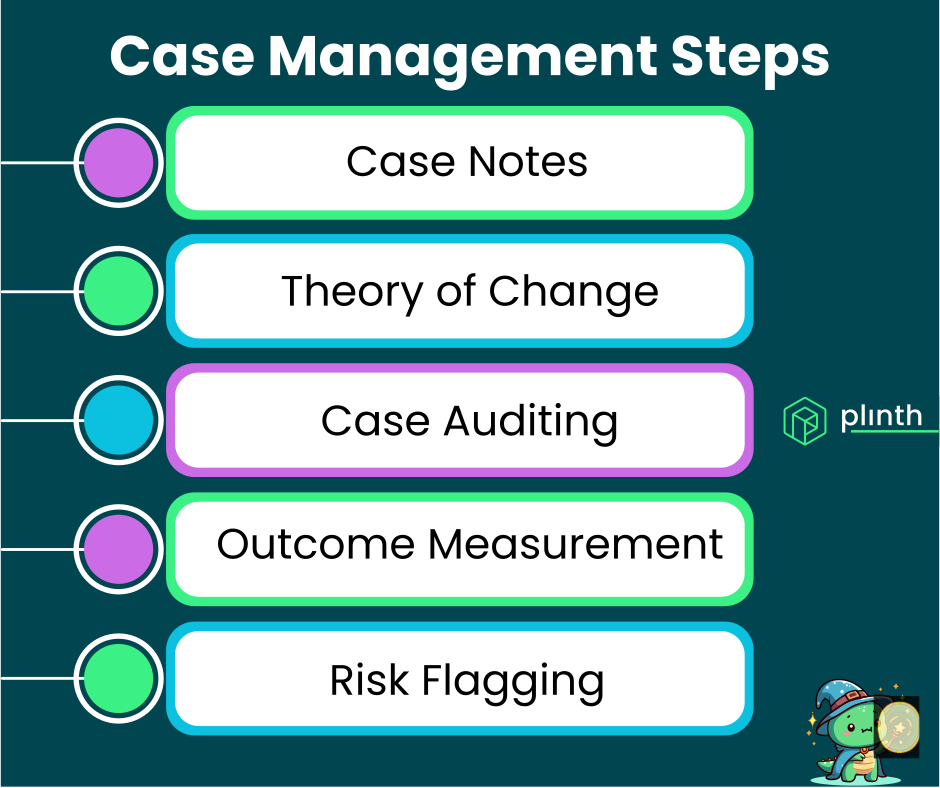
Case management refers to the structured process of supporting individuals through defined pathways, from initial intake through ongoing support to case closure, and AI-powered solutions like Plinth are transforming how organisations manage this full cycle. Everything you need to know about Case Management is covered in this comprehensive guide.
What you'll learn: What case management is and why structured case tracking is crucial for effective support delivery in charities and nonprofits.
Key challenges: The biggest hurdles case workers face (tracking interactions, managing caseloads, measuring outcomes) and how modern software can help solve them.
AI in action: How Plinth's case management tools work step-by-step – from tracking interactions to AI-powered case analysis and weekly summaries.
Who this is for: Charity leaders, programme managers, and social workers evaluating case management approaches.
What is Case Management?
Case management is the comprehensive process of overseeing an individual's journey through your organisation's support services, from the moment they enter your system until their case is resolved or closed.
Case Creation: Establishing a case record for an individual, assigning a case worker, selecting an appropriate workflow or pathway, and setting initial concern levels based on presenting needs.
Ongoing Support: Recording interactions and notes, tracking progress through defined workflows, adjusting concern levels as circumstances change, and coordinating with other services or team members.
Case Monitoring: Reviewing case activity regularly, generating summaries to understand progress, identifying cases that need attention, and ensuring no one falls through the cracks.
Case Closure: Documenting outcomes achieved, ensuring all required support has been delivered, recording lessons learned, and formally closing the case with appropriate end dates.
Effective case management requires coordination across multiple touchpoints while maintaining clear records and ensuring accountability throughout the support journey.
The Challenges Organisations Face
Charities and nonprofits commonly encounter significant challenges like overwhelming caseloads, inconsistent record-keeping, and difficulty identifying individuals who need urgent attention.
Inconsistent Documentation: Without a structured system, case notes end up scattered across emails, paper files, and spreadsheets, making it impossible to get a complete picture of someone's support history.
Overwhelming Caseloads: Case workers often manage dozens or hundreds of cases simultaneously, making it difficult to remember every detail and ensure each person receives appropriate attention.
Identifying At-Risk Individuals: When information is fragmented, it becomes challenging to spot patterns that indicate someone's situation is deteriorating and requires immediate intervention.
Measuring Impact: Demonstrating the effectiveness of your support services requires consistent data collection and analysis, which is difficult without proper systems in place.
These challenges prevent organisations from delivering the best possible support and demonstrating their impact to funders and stakeholders.
Why We Built Plinth's Case Management
We built Plinth's case management features to tackle these challenges – providing structured workflows, comprehensive interaction tracking, and AI-powered insights that help organisations support more people more effectively. Plinth provides the most comprehensive case management solution for UK charities, designed specifically to address the unique needs of nonprofit organisations.
Structured Case Tracking: Create cases linked to individuals, assign case workers, set workflows/pathways, and track every interaction in one centralised system that everyone can access.
Intelligent Prioritisation: Use concern levels (Low, Medium, High) to flag cases that need attention, ensuring case workers focus their limited time on the individuals who need it most.
AI-Powered Insights: Leverage artificial intelligence to analyse case notes, identify patterns, and generate summaries that would take hours to produce manually.
This results in more consistent support delivery, better outcomes for individuals, and clearer evidence of impact for funders and stakeholders.
Key Features and Benefits
Case Workflows and Pathways
Plinth allows you to define custom workflows and pathways that cases can follow, providing structure to your support delivery while maintaining flexibility for individual circumstances.
Custom Pathway Creation: Create workflows tailored to your services, such as "Housing Support", "Mental Health Recovery", or "Employment Programme", each with its own colour coding for easy visual identification.
Visual Organisation: Each workflow displays with its assigned colour throughout the system, making it easy to quickly identify what type of support someone is receiving at a glance.
Flexible Assignment: Assign cases to workflows at creation or update them as circumstances change, allowing cases to move between pathways as someone's needs evolve.
Portfolio Overview: View all cases grouped by workflow to understand capacity across different service areas and identify where resources may need to be redistributed.
By defining clear workflows, organisations can ensure consistent service delivery while maintaining the flexibility to respond to individual needs.
Concern Level Tracking
Plinth's concern level system allows case workers to flag cases that need attention, ensuring that high-risk individuals are prioritised appropriately.
Three-Tier System: Cases are marked as Low (green), Medium (orange), or High (red) concern, providing a simple but effective way to communicate urgency across the team.
Dynamic Updates: Concern levels can be updated whenever a note is added, allowing case workers to escalate or de-escalate cases based on the latest information.
Prioritised Views: Sort and filter cases by concern level to quickly identify who needs attention most urgently, ensuring no high-risk cases are overlooked.
Team Visibility: All team members can see concern levels, enabling supervisors to monitor their team's caseload and step in when someone has too many high-concern cases.
This feature ensures that limited resources are directed where they're needed most, improving outcomes for the most vulnerable individuals.
Case Worker Assignment
Plinth makes it easy to assign and manage case workers, ensuring clear accountability and appropriate distribution of workload across your team.
Clear Ownership: Every case has an assigned case worker, making it clear who is responsible for each individual and eliminating confusion about who should be taking action.
Easy Reassignment: When staff leave or caseloads need rebalancing, cases can be reassigned with a few clicks while maintaining the complete history of previous interactions.
Workload Visibility: See at a glance how many cases each team member is managing, broken down by concern level and status, to ensure equitable distribution.
Self-Assignment: Case workers can claim unassigned cases directly, streamlining intake processes and reducing administrative overhead.
Clear case worker assignment ensures accountability while providing managers with the visibility they need to support their teams effectively.
Interaction and Note Tracking
Plinth's platform provides comprehensive interaction tracking, ensuring every touchpoint with an individual is recorded and easily accessible.
Chronological Timeline: View all interactions with an individual in a single timeline, including notes, meetings, phone calls, and any other touchpoints, making it easy to understand the full history.
Rich Note Content: Add detailed notes with support for formatting, document attachments, outcome tracking, and tags for easy categorisation and later searching.
Private Notes: Mark sensitive notes as private when necessary, ensuring that confidential information is only visible to authorised staff members.
Case-Linked Recording: When adding notes, easily link them to specific cases, automatically updating the case's last interaction date and maintaining a complete audit trail.
Comprehensive interaction tracking ensures nothing falls through the cracks and provides the documentation needed for safeguarding, compliance, and demonstrating impact.
AI-Powered Case Analysis
Plinth's AI capabilities help case workers and managers understand case histories quickly, identifying key patterns and concerns that might otherwise be missed.
Conversation Analysis: Ask questions about a case's history in natural language and receive AI-generated answers based on all recorded notes and interactions.
Structured Insights: AI analysis automatically identifies key themes including referrals made, problems presented, support given, changes observed, and potential risk factors.
Risk Identification: The AI specifically looks for indicators related to mental health concerns, safeguarding issues, housing problems, relationship difficulties, and other risk factors.
Time Savings: What would take hours of reading through notes to compile manually can be summarised in seconds, freeing case workers to focus on direct support.
AI-powered analysis transforms raw case notes into actionable insights, helping organisations identify needs and demonstrate impact more effectively.
Weekly Summary Generation
Plinth can automatically generate summaries of recent case activity, making supervision and case review meetings more efficient and effective.
Automated Summaries: Generate concise 2-3 sentence summaries of each case's recent activity with a single click, perfect for preparing for supervision or handover meetings.
Bulk Generation: Create summaries for all active cases at once, dramatically reducing the time needed to prepare for team meetings or management reporting.
Concern-Based Sorting: Cases in the summary view are sorted by concern level, ensuring high-priority cases are reviewed first during supervision sessions.
AI-Powered Intelligence: Summaries are generated using advanced AI that understands context and pulls out the most relevant information from recent interactions.
Weekly summaries ensure that case reviews are efficient and focused, improving the quality of supervision while reducing administrative burden.
How Plinth's Case Management Works
Plinth's case management system provides an intuitive workflow that supports case workers at every stage of the support journey.
Case Creation: Create a new case by selecting the individual, assigning a case worker (or yourself), choosing an optional workflow/pathway, and setting an initial concern level.
Ongoing Documentation: As you work with the individual, add notes to their record. When adding notes, select the relevant case to automatically link the interaction and update case tracking.
Status Management: Update case status between Open (active), Paused (temporarily on hold), or Closed (support concluded) as circumstances change, with end dates automatically recorded when cases close.
Case Review: Use the cases table to filter, sort, and review your caseload. Click into any case to see the full interaction history, or use AI analysis to quickly understand complex cases.
Supervision Support: Generate weekly summaries before supervision meetings, or use the AI conversation feature to explore specific questions about a case's history with your supervisor.
This end-to-end workflow ensures consistent, high-quality case management while dramatically reducing administrative burden on frontline staff.
Who Should Use Case Management Software
Case management software is valuable for any organisation that provides ongoing support to individuals, especially charities, social enterprises, and community organisations that need to track multiple touchpoints over time.
Advice Services: Citizens Advice bureaux, law centres, and other advice providers can track client journeys through complex issues that require multiple appointments and follow-up.
Housing Support: Housing associations and homelessness charities can manage support for tenants or rough sleepers, tracking progress through housing pathways.
Mental Health Services: Counselling services and mental health charities can maintain comprehensive records of therapeutic relationships and progress over time.
Youth Services: Youth clubs, mentoring programmes, and young people's services can track individual engagement and outcomes over months or years.
Community Development: Community centres and neighbourhood organisations can track their support for local residents across multiple service areas.
Any organisation working with individuals over time will benefit from the structure, accountability, and insight that proper case management software provides.
Frequently Asked Questions
What is case management software?
Case management software is a digital platform designed to organise and streamline all the tasks involved in supporting individuals through defined pathways over time.
Centralised Records: These systems centralise all information about an individual including notes, interactions, documents, and outcomes in one accessible location that authorised staff can access.
Workflow Support: The software provides structure through features like case status tracking, workflow assignment, and concern levels that help ensure consistent service delivery.
Reporting and Analysis: Built-in reporting and AI analysis features help organisations demonstrate impact and identify patterns across their caseload.
Case management software transforms scattered, inconsistent record-keeping into an organised system that improves outcomes and accountability.
How can AI improve case management?
Artificial intelligence can significantly enhance case management by analysing large volumes of case notes, identifying patterns, and generating insights that would take hours to produce manually.
Pattern Recognition: AI can analyse case notes to identify recurring themes, track changes over time, and flag potential concerns that might be missed during busy periods.
Summary Generation: AI tools can quickly summarise case histories, making it easier to prepare for meetings, handovers, or supervision without reading every note.
Risk Identification: By analysing language patterns and content, AI can help identify cases where risk may be increasing, enabling earlier intervention.
AI transforms case management from a documentation exercise into a strategic tool for improving support delivery and outcomes.
Is case management software secure and compliant?
Yes – reputable case management platforms prioritise data security and compliance with UK data protection regulations through multiple layers of protection.
Data Security: Plinth stores all information securely with encryption and does not use your data to train AI models, ensuring complete privacy and confidentiality.
Access Controls: Role-based permissions ensure that sensitive information is only visible to authorised staff, with private note functionality for particularly confidential content.
Audit Trails: Complete records of who accessed what information and when, providing the accountability required for safeguarding and regulatory compliance.
Modern case management platforms are designed with security and compliance at their core, often exceeding the protection provided by paper-based systems.
Can small organisations benefit from case management software?
Absolutely. Case management software isn't just for large organisations – even small charities with limited staff can gain significant benefits from implementing these tools.
Resource Optimisation: When staff time is limited, having a centralised system prevents important follow-ups from being missed and reduces time spent searching for information.
Consistency: Software ensures that whoever is working with an individual has access to the same information, enabling better continuity even with part-time or volunteer staff.
Scalability: The right software helps smaller organisations maintain quality as they grow, ensuring that increased caseloads don't lead to decreased service quality.
Small organisations can achieve the same level of case management sophistication as larger charities, maximising their impact regardless of team size.
How does case management differ from a CRM?
While both systems track information about people, case management software is specifically designed for ongoing support relationships rather than donor or customer relationships.
Support Focus: Case management systems are built around the concept of a support journey with defined stages, concern levels, and outcomes rather than sales or donation pipelines.
Interaction Depth: Case notes typically contain much more detailed information about conversations, needs, and progress than standard CRM contact records.
Outcome Tracking: Case management systems focus on tracking individual outcomes and service delivery rather than financial transactions or communication preferences.
While a CRM might track that you called someone, case management software tracks what you discussed, what support was provided, and what progress was made.
Conclusion & Call to Action
Effective case management is essential for charities and nonprofits seeking to provide high-quality support while demonstrating their impact to funders and stakeholders.
Proven Results: Plinth's case management tools have already helped organisations across the UK improve their support delivery and evidence their outcomes more effectively.
Comprehensive Benefits: By leveraging a full-featured case management solution like Plinth, organisations can save time on administration, improve service consistency, and gain deeper insights into their impact.
Strategic Advantage: These tools represent an investment that pays off in better outcomes for the people you support and stronger evidence for the funders who make your work possible.
For organisations looking to modernise their case management, adopting purpose-built software is essential for delivering effective support at scale.
Ready to transform your case management? Book a demo of Plinth to see how our AI-powered platform can streamline your case management and help you support more people more effectively.
Recommended Next Pages
What is Case Management? – A clear definition and explanation of case management fundamentals for charities and nonprofits.
Case Management Software for Charities – Why purpose-built case management tools outperform generic solutions for nonprofit organisations.
Setting Up Case Workflows and Pathways – A practical guide to designing and implementing effective case pathways in your organisation.
AI-Powered Case Analysis and Summaries – How artificial intelligence is transforming case review and supervision in the charity sector.
Case Management Best Practices for Nonprofits – Expert recommendations to improve consistency and outcomes in your case management.
How to Track Case Interactions and Notes – Best practices for recording comprehensive case notes that support effective service delivery.
Understanding Case Concern Levels and Risk Assessment – How to use concern levels effectively to prioritise your caseload.
Managing Case Status: Open, Paused, and Closed – When and how to transition cases through different statuses.
Last updated: July 2026
For more information about implementing case management in your organisation, contact our team or schedule a demo.