Case Management Software for Charities
Why purpose-built case management software outperforms generic tools for UK charities and nonprofits. A practical guide to choosing and implementing the right system.
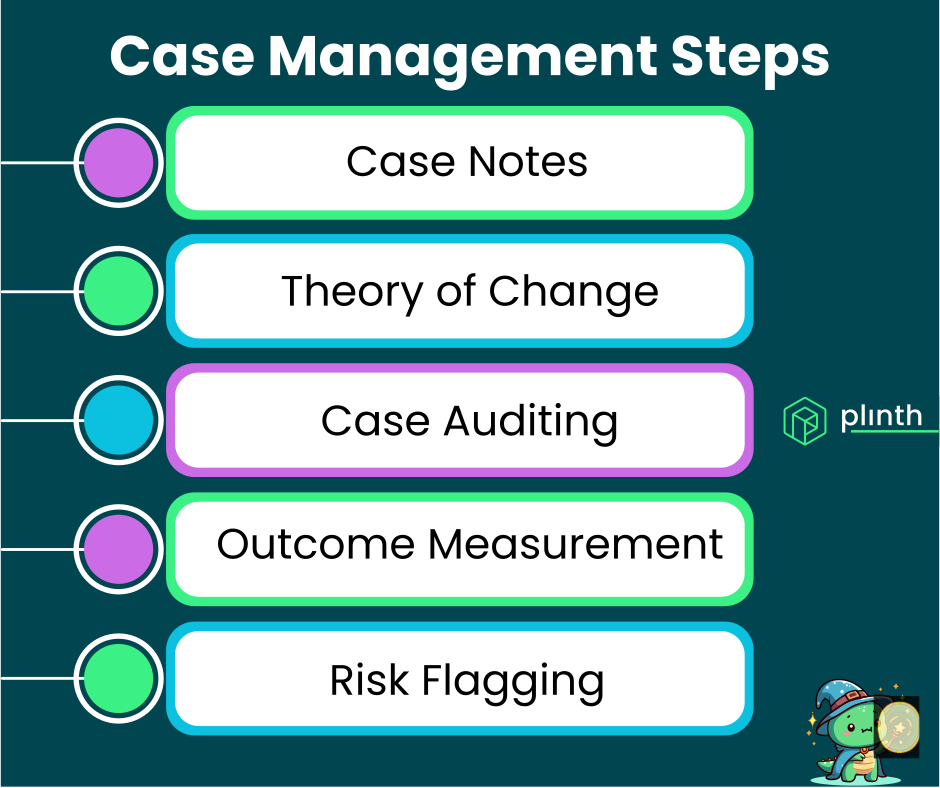
Purpose-built case management software helps UK charities deliver more effective support while reducing administrative burden on frontline staff. The right system centralises information, automates routine tasks, and provides insights that manual processes simply cannot match.
What you'll learn: Why charity-specific case management software matters and what features to look for.
Key considerations: How to evaluate options based on your organisation's size, needs, and budget.
Implementation guidance: Practical steps for successfully adopting case management software.
Who this is for: Charity managers, IT leads, and programme directors choosing case management software.
Why Charities Need Specialised Software
Generic business tools like spreadsheets and basic CRMs weren't designed for the complexity of charity support work, leading to workarounds, inefficiencies, and gaps in service delivery.
Support Relationships: Charities work with people over extended periods, tracking nuanced progress through complex situations – not simple sales transactions or customer service tickets.
Regulatory Requirements: UK charities must meet specific safeguarding, data protection, and reporting requirements that generic software doesn't address out of the box.
Funding Accountability: Demonstrating impact to funders requires capturing outcome data in ways that commercial CRMs aren't designed to support.
Resource Constraints: Charity budgets are tight, so software must genuinely save time and improve outcomes rather than adding administrative overhead.
The specificity of charity work demands software designed for that context, not adapted from other sectors.
Key Features to Look For
When evaluating case management software for your charity, certain features are essential while others are valuable additions depending on your needs.
Essential Features
Case Creation and Tracking: Ability to create cases linked to individuals, assign case workers, set start dates, and track through to closure with full history preserved.
Note and Interaction Recording: Comprehensive note-taking with support for formatting, attachments, and categorisation, with all notes linked to relevant cases.
Search and Filtering: Quick access to cases by name, case worker, status, date range, or other criteria when you need to find information fast.
Status Management: Clear case statuses (Open, Paused, Closed) with automatic timestamps and the ability to reopen cases if needed.
Basic Reporting: At minimum, ability to report on case volumes, outcomes, and activity levels for management and funder reporting.
Valuable Additions
Workflow/Pathway Management: Define custom pathways that cases follow, providing structure while maintaining flexibility for individual circumstances.
Concern Level Tracking: Flag cases by urgency or risk level to ensure the most vulnerable individuals receive appropriate attention.
AI-Powered Analysis: Advanced features like automatic summary generation and conversation-based case analysis that transform how teams work with case data.
Mobile Access: Allow case workers to record notes and access information when working in the community, not just from office computers.
Integration Capabilities: Connect with other systems you use, such as fundraising databases, accounting software, or communication tools.
Start by ensuring essential features meet your needs before being swayed by advanced capabilities you may not immediately use.
Common Software Options
UK charities typically choose between several types of software for case management, each with different strengths and trade-offs.
Purpose-Built Charity Case Management
Platforms designed specifically for charity case management, like Plinth, offer the closest fit for typical nonprofit needs.
Pros: Features designed for charity contexts, often including UK-specific compliance support, appropriate pricing, and sector expertise.
Cons: May have fewer integrations than enterprise platforms, though this gap is closing rapidly.
Adapted CRM Systems
Some charities use CRM systems like Salesforce (often via nonprofit programmes) or sector-adapted tools like Lamplight, Charitylog, or Beacon.
Pros: Mature platforms with extensive customisation options and large user communities.
Cons: Require significant configuration to work for case management rather than donor management, and ongoing customisation costs add up.
Specialist Sector Solutions
Some software targets specific subsectors like housing, advice services, or health charities with highly tailored functionality.
Pros: Deep functionality for specific use cases, often developed with input from organisations in that subsector.
Cons: May be overkill or too rigid for organisations with broader service offerings.
Spreadsheets and Manual Systems
Despite limitations, many smaller charities still rely on Excel, Google Sheets, or paper-based systems.
Pros: No additional cost, familiar to most staff, and adequate for very small caseloads.
Cons: Cannot scale, creates single points of failure, makes reporting labour-intensive, and provides no collaboration or audit trail features.
The right choice depends on your organisation's size, complexity, budget, and growth trajectory.
Evaluating Your Options
When comparing case management software, a structured evaluation process helps ensure you choose a solution that genuinely meets your needs.
Define Requirements: Start by documenting what you actually need, distinguishing between essential requirements and nice-to-have features.
Involve End Users: Include frontline case workers in the evaluation, not just managers and IT staff – they'll be using the system daily.
Request Demonstrations: See the software in action with scenarios relevant to your work, not just standard vendor demos.
Check References: Speak with similar organisations using the software to understand real-world experience beyond marketing materials.
Assess Total Cost: Consider implementation, training, ongoing subscription, and any customisation costs, not just the headline price.
Plan for Migration: Understand how existing data will be moved into the new system and what support the vendor provides.
Taking time to evaluate properly prevents expensive mistakes and failed implementations.
Implementation Best Practices
Successfully implementing case management software requires attention to both technical and human factors.
Start with Clean Data: Take the opportunity to review and clean your existing records before migration rather than bringing across outdated or duplicate information.
Phase the Rollout: Consider starting with one team or service area before expanding organisation-wide, allowing you to learn and adjust.
Invest in Training: Ensure all users receive adequate training, with ongoing support available as they become more familiar with the system.
Document Processes: Create clear guidance on how cases should be created, documented, and managed in the new system to ensure consistency.
Monitor Adoption: Track whether staff are actually using the system as intended and address any resistance or workarounds early.
Iterate and Improve: Plan for regular reviews of how the system is working and be prepared to adjust processes or configuration based on experience.
Implementation is not a one-time project but an ongoing process of adoption and optimisation.
The Cost Question
Cost is often a primary concern for charities evaluating case management software, but focusing only on price can be misleading.
Subscription Costs: Most modern systems charge monthly or annual subscriptions, typically based on number of users or records. Expect to pay somewhere between free (for very basic tools) to several thousand pounds annually for comprehensive solutions.
Implementation Costs: Setting up the system, migrating data, and configuring to your needs may involve one-time fees or require staff time.
Training Costs: Staff time for training and the productivity dip during transition have real costs even if not invoiced by the vendor.
Opportunity Costs: The time currently spent on manual workarounds, searching for information, or recreating reports has a cost that good software eliminates.
Hidden Costs: Some platforms charge for features that seem standard, for additional support, or for every minor customisation – ask detailed questions.
Calculate the total cost of ownership over 3-5 years, including staff time, not just the headline subscription price.
Plinth for Charity Case Management
Plinth provides comprehensive case management designed specifically for frontline charities, combining essential features with AI-powered capabilities that set it apart.
Charity-Focused Design: Built for the specific needs of nonprofit organisations, not adapted from commercial software.
AI-Powered Insights: Unique features like case conversation analysis and automatic summary generation that transform how teams work with case data.
UK Compliance: Designed with UK data protection and charity regulation requirements in mind from the start.
Integrated Platform: Case management works alongside Plinth's other features for grant management and member tracking, providing a unified system.
Accessible Pricing: Structured to be accessible for charities of different sizes, with support for implementation and ongoing use.
Plinth represents the next generation of charity case management software, combining proven fundamentals with innovative AI capabilities.
Frequently Asked Questions
How long does implementation typically take?
Implementation timelines vary significantly based on organisation size, data complexity, and chosen software.
Small Organisations: A small charity with limited existing data might be operational within 2-4 weeks, including basic training.
Medium Organisations: Charities with established processes and moderate data volumes typically need 6-12 weeks for full implementation.
Large Organisations: Complex organisations with multiple services, significant historical data, and integration requirements may need 3-6 months.
Rushing implementation rarely saves time in the long run – inadequate setup leads to workarounds, resistance, and potentially starting over.
Will we lose historical data when switching systems?
Not if migration is planned properly, though some data cleaning and restructuring is usually needed.
Data Export: Most systems allow exporting data in standard formats that can be imported into new software.
Mapping Exercise: Field names and structures may differ between systems, requiring mapping decisions about how data transfers.
Validation: After migration, validate that key records transferred correctly before fully transitioning to the new system.
Work with both your old and new vendors to understand migration options and ensure nothing critical is lost.
What if staff resist using the new system?
Resistance is common and usually stems from understandable concerns that can be addressed proactively.
Involve Staff Early: Include frontline workers in selection and implementation decisions so they feel ownership rather than having software imposed on them.
Address Concerns: Listen to specific worries about workload, complexity, or change and address them directly.
Demonstrate Benefits: Show how the system will make their work easier, not just satisfy management reporting requirements.
Provide Support: Ensure ongoing support is available so staff don't feel abandoned when they encounter difficulties.
Resistance usually indicates legitimate concerns that deserve attention rather than problems to be overcome.
Recommended Next Pages
The Complete Guide to Case Management – Comprehensive coverage of case management principles and features.
What is Case Management? – Foundational concepts and definitions.
AI-Powered Case Analysis and Summaries – How AI is transforming case management.
Case Management Best Practices for Nonprofits – Expert recommendations for effective implementation.
Last updated: July 2026
For more information about Plinth's case management software, contact our team or schedule a demo.