Integrations
Plinth connects to the databases and grant management systems you already use, so you can run deeper analysis on applications without starting from scratch.
 Written by Jess O'Neill, Partnerships Lead
Connects to
Salesforce
Connect your org, then map its schema
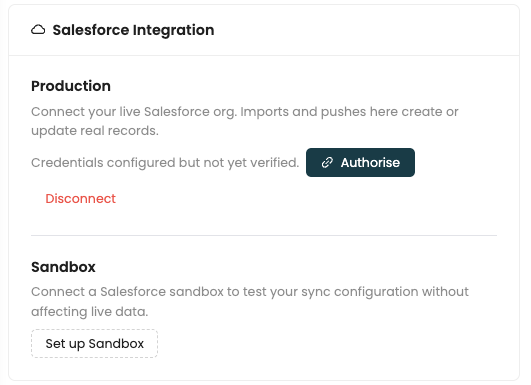
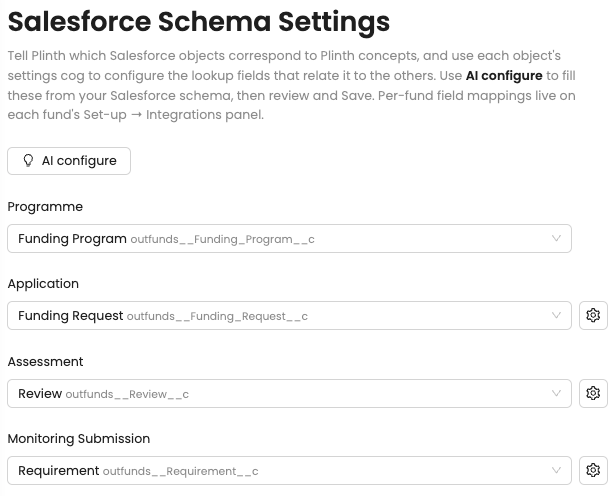
Authorise a production or sandbox org; credentials are verified before any data moves. AI configure fills the schema from Salesforce, so your Funding Programmes map to a Fund in Plinth.
- A sandbox to test without touching live data
- Programme, Application, Assessment and Monitoring objects
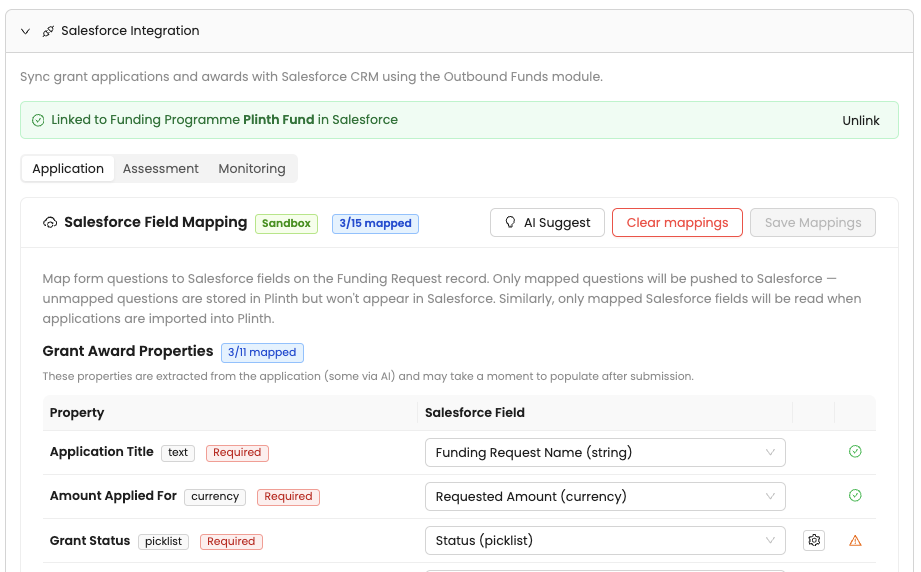
Field mapping
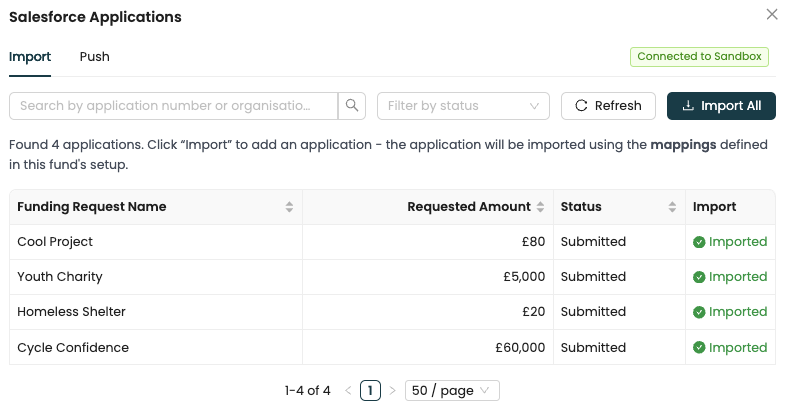
Map fields, then import
Map Application, Assessment and Monitoring fields in each fund's setup, with AI assisting at every step. Then browse funding requests in Salesforce and import them.
- Only mapped fields sync, in either direction
- Imports use the fund's own mappings
Push and history
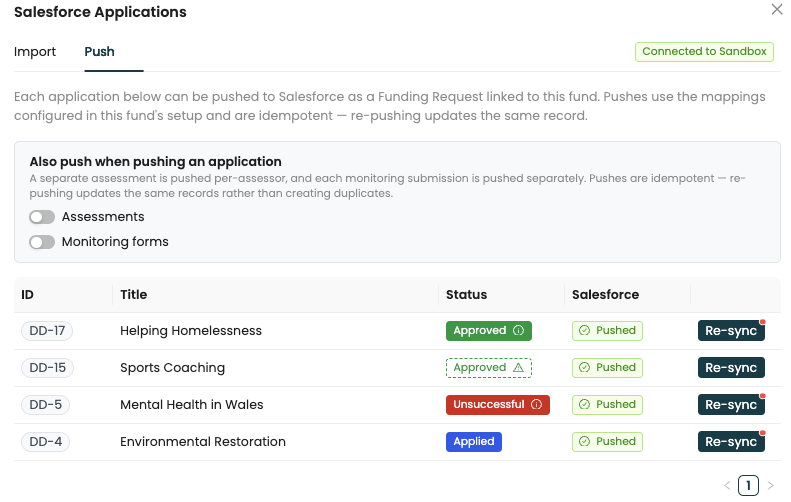
Push back when you’re ready
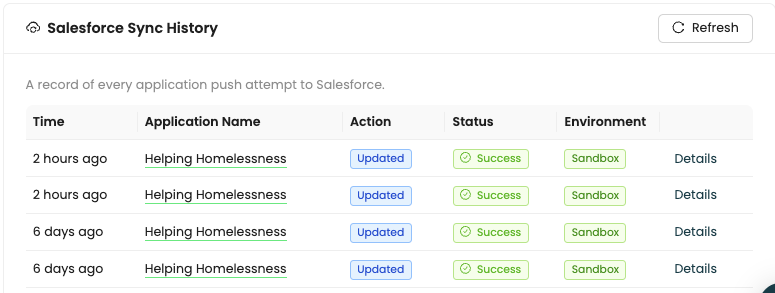
Run due diligence in Plinth, then push each application to Salesforce as a Funding Request. Fund settings keep a history of every sync.
- Sync at any stage of the grant cycle
- Assessments and monitoring forms optional
- Status and environment for every push attempt
Blackbaud
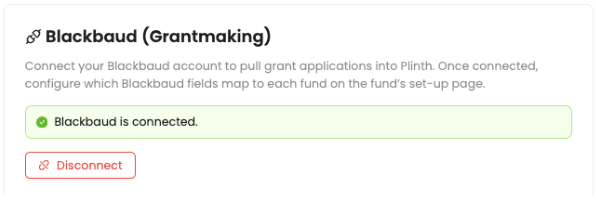
Pull applications from Blackbaud Grantmaking
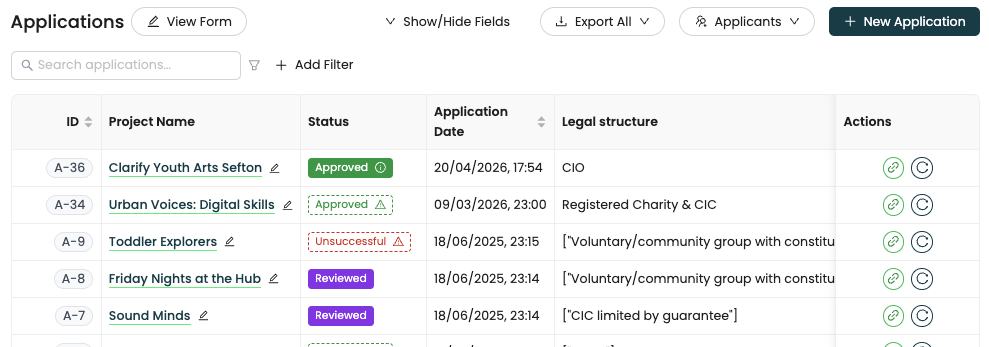
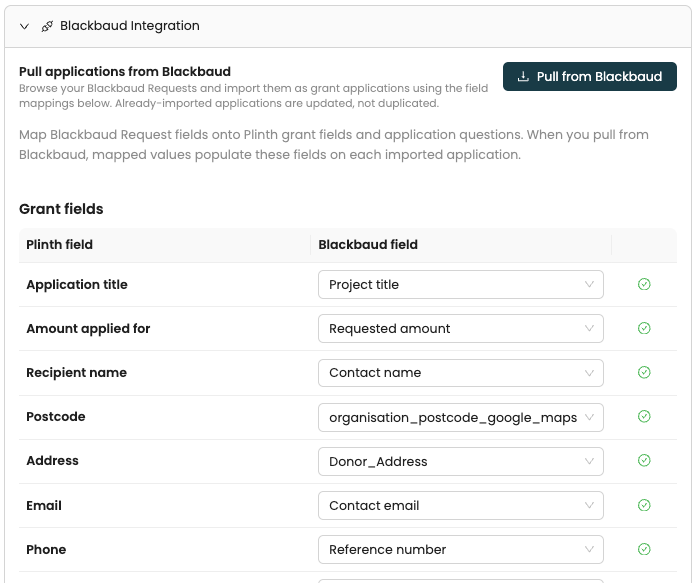
Connect once for the organisation and map Blackbaud Request fields for each fund. Pulled applications land in the fund, ready for due diligence and assessment.
- Partner CRM details and application data both sync
- Sync indicators in the fund's actions column
- Pushing back to Blackbaud isn't supported yet
Coming soon
Grant Capture for Chrome
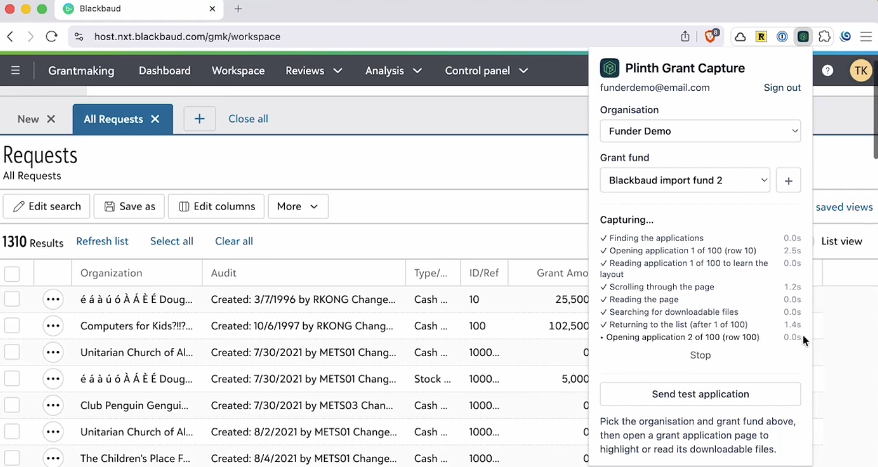
A Chrome extension that reads applications in your Blackbaud workspace and imports them into Plinth with one click, with no manual export.
- Write-ups on Foundant and Fluxx integrations also coming soon
Want to see it on your stack?
Book a demo and walk through the Salesforce or Blackbaud integration on your own data.