Why Spreadsheets Fail as Case Management Tools
An honest look at why spreadsheets are a poor substitute for case management software, the risks they create for charities and nonprofits, and what to move to when you're ready.
On this page5
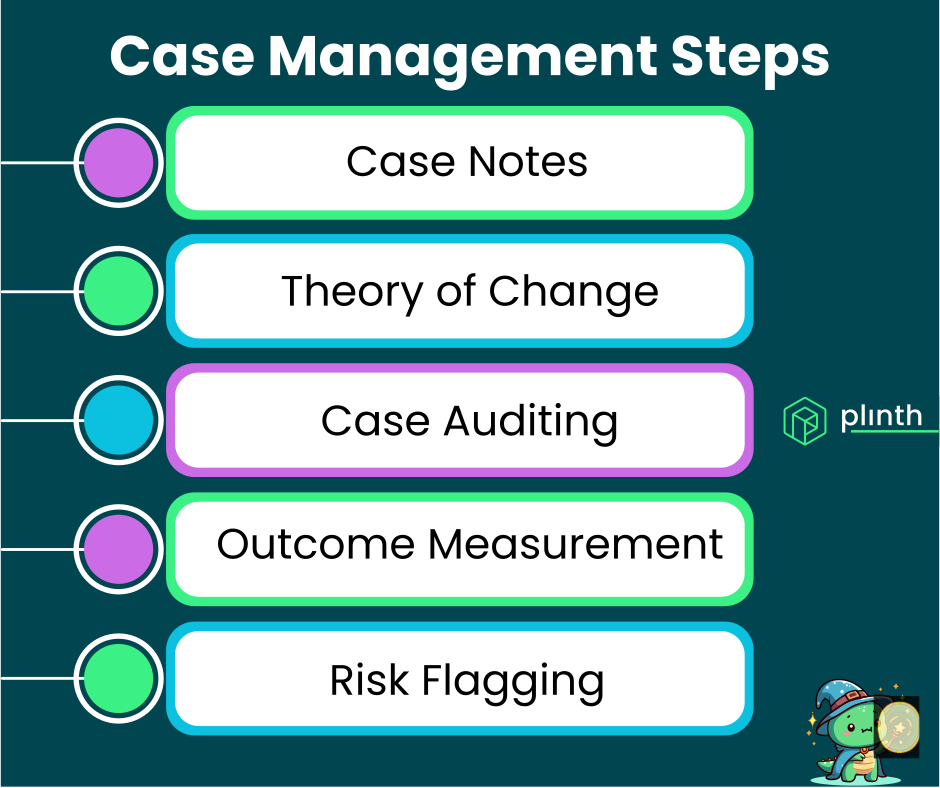
Spreadsheets are not case management software. They were not built for it, they do not behave like it, and organisations that rely on them for tracking cases are carrying more risk — operational, compliance, and reputational — than they typically realise.
This guide is not a technology sales pitch. Many organisations use spreadsheets for case tracking because they have limited budgets, limited time, or because "it works well enough." This guide is an honest assessment of when it works enough, when it stops working, and what the right step forward looks like.
What you'll learn: The specific ways spreadsheets create problems for case management, the GDPR and data protection risks they carry, and a clear framework for deciding when it is time to move on.
The honest picture: Many charities outgrow spreadsheets gradually without realising it. By the time the problems become visible, significant risks have accumulated. Understanding the failure modes early helps you manage the transition on your own terms.
When Spreadsheets Work (and When They Don't)
When They Work
Spreadsheets are not universally bad tools. There are scenarios where they are a reasonable choice.
Very Small Caseloads: A team of two workers supporting 15 people with stable, simple situations may genuinely not need more than a well-structured spreadsheet. The overhead of implementing and maintaining case management software may not be justified.
Early-Stage Organisations: New organisations that are still figuring out their service model should not necessarily invest in case management software before they understand what they need it to do. A spreadsheet is a reasonable holding measure.
Simple Tracking, Limited Interaction: If you are simply recording that someone received a service on a given date, with no complex case history, notes, or ongoing relationship, a spreadsheet may be adequate.
The problem is that most organisations do not stay at this level of simplicity — and often do not notice when they have moved beyond it.
When They Stop Working
Multiple Active Cases: Once a team is managing 30+ active cases with any complexity, the limitations of spreadsheets — no audit trail, no concurrent access control, no automated reminders — become significant operational risks.
Staff Changes: The spreadsheet that the person who left built is the organisation's institutional memory. No one else fully understands how it works, and the information locked in it is effectively inaccessible.
Multiple Workers: When more than one person is editing a spreadsheet simultaneously, data integrity problems are a matter of when, not if. Accidental overwrites, version conflicts, and data loss are routine.
Reporting Requirements: When a funder asks for outcomes data, caseload statistics, or evidence of impact, compiling it from a spreadsheet is a painful manual exercise that consumes hours and produces unreliable results.
Complexity of Need: When service users have complex situations requiring rich case notes, multi-agency coordination, and careful documentation of decisions, a spreadsheet is structurally incapable of supporting good practice.
The Specific Failure Modes of Spreadsheet Case Management
No Audit Trail
A good case management system records who did what, when. A spreadsheet does not.
Why This Matters: If a serious incident occurs involving a service user, and there is a review or inquiry, your organisation needs to be able to demonstrate that appropriate steps were taken. A spreadsheet cannot tell you who made a change, when, or what the previous state of the record was.
Safeguarding Implications: In the most serious cases, the absence of a reliable audit trail is not just an inconvenience — it is a safeguarding failure and a significant legal and reputational risk.
Subject Access Requests: Under UK GDPR, individuals have the right to access data held about them. Responding to a subject access request from a spreadsheet is complex, unreliable, and potentially incomplete.
Data Security and GDPR Risk
Spreadsheets containing personal data create substantial data protection risks that many organisations do not fully appreciate.
Access Controls: A spreadsheet shared across a team has no granular access control. Everyone with access to the file can see everything in it — which is rarely appropriate when sensitive personal information is involved.
Portability Risk: Spreadsheets travel easily — via email, USB drives, personal Dropbox accounts, and laptops taken home. Each time the file moves, a data protection risk is created.
Accidental Sharing: Spreadsheets are sent to the wrong recipient by mistake with alarming frequency. A single accidental email containing a spreadsheet with 200 service users' personal details is a reportable personal data breach under UK GDPR.
Encryption and Storage: Files on local drives or consumer cloud storage (personal Google Drive, Dropbox) do not meet the security standards expected for sensitive personal data.
A data breach involving a spreadsheet of service user data would require notification to the ICO within 72 hours and could result in significant regulatory action.
No Concurrent Working
Spreadsheets were not built for multiple users working simultaneously.
Version Conflicts: When two workers update the same spreadsheet at the same time, one version will typically overwrite the other. The lost update may never be noticed.
The "Master Copy" Problem: Organisations often develop a complex informal protocol around who holds the "master" spreadsheet, when it is updated, and how to avoid conflicts. This protocol breaks down under pressure — during staff absences, busy periods, or when new workers join.
Real-Time Visibility: Managers cannot see what is happening in cases in real time. They can only see what was in the file when it was last saved.
Poor Support for Case Notes
Good case management requires rich, longitudinal notes that capture the history of a relationship over time. Spreadsheets are structurally unsuitable for this.
Cell Limitations: Notes written in spreadsheet cells are hard to read, impossible to format meaningfully, and practically impossible to review chronologically across a case history.
Length Constraints: Long notes in cells make spreadsheets unwieldy. The practical result is that notes become shorter and less informative — which is a direct degradation of case management quality.
No Linking: There is no way in a spreadsheet to naturally link notes to specific cases, link cases to individuals, or navigate a case timeline in the way that a dedicated system enables.
No Risk Prioritisation
Spreadsheets cannot sort cases by risk level in any dynamic or meaningful way.
No Concern Levels: The equivalent of a concern level system in a spreadsheet is a manually maintained column of "High/Medium/Low" that depends entirely on workers remembering to update it.
No Alerts: A spreadsheet will not tell you that a case has not been updated for six weeks. A case can go quiet and no system mechanism will surface it for attention.
No AI Analysis: The AI capabilities that are becoming standard in modern case management tools — identifying risk signals in notes, generating summaries, answering questions about case histories — are not available in spreadsheets.
In prevention and community support work, the failure to identify a deteriorating case early enough is the failure mode that causes the most harm. Spreadsheets do not help you catch it.
What the Move Away From Spreadsheets Looks Like
Recognising the Transition Point
Most organisations reach a point where the cost of staying on spreadsheets — in staff time, risk, and quality of service — exceeds the cost of moving to a dedicated system. Common signs you have reached that point:
- Preparing funder reports requires hours of manual data compilation
- You have experienced a data breach or near-miss involving a spreadsheet
- Workers are spending significant time navigating and maintaining the spreadsheet rather than supporting service users
- A staff member left and took institutional knowledge of the spreadsheet with them
- You cannot answer basic questions about your caseload (how many active cases? what proportion are high concern?) without extended manual work
Choosing the Right System
See Best Case Management Systems for UK Charities and Local Authorities for a full guide to evaluating case management software.
Key Criteria for the Spreadsheet Migration: When migrating from spreadsheets specifically, look for a system with a straightforward data import process, a fast implementation timeline, and training support that works for teams who have never used dedicated case management software before.
Plinth for Spreadsheet Migrations: Plinth is particularly well-suited for organisations migrating from spreadsheets. The system is intuitive for workers who are used to simple tools, implements in days not months, and provides direct support through the onboarding process.
Managing the Migration
What to Migrate: Not all historical spreadsheet data needs to be migrated. Discuss with your team what is essential (active cases, recent history) versus what can be archived rather than imported.
Data Cleaning: Migrations are an opportunity to clean up the data. Remove duplicates, standardise naming conventions, and ensure that what you are importing is accurate.
Parallel Running: Some organisations run the new system alongside the spreadsheet briefly during transition. This is low-risk but can create confusion — agree a clear cutover date and stick to it.
Training: Workers who have relied on spreadsheets for case tracking will need training on the new system. Invest in this — the quality of adoption in the first weeks determines the quality of the system long-term.
Frequently Asked Questions
Is there a GDPR obligation to move away from spreadsheets?
There is no absolute legal obligation to use specific software for case management. However, organisations using spreadsheets for sensitive personal data must be able to demonstrate that they meet GDPR requirements — including appropriate access controls, security measures, breach prevention, and subject access request processes.
Practical Reality: In practice, most spreadsheet-based case management systems cannot meet these requirements adequately, creating ongoing compliance risk.
What if we cannot afford case management software?
The cost of purpose-built charity case management software is often lower than organisations assume.
Value vs Cost: Plinth is priced to be accessible for small and medium charities. The cost of a year's subscription is typically recouped within months through time saved on reporting and administration alone.
Grant Funding: Many funders will cover the cost of case management software as an eligible expenditure within project or core cost grants.
Can we export data from our spreadsheet into Plinth?
Yes — Plinth supports data import from spreadsheets during onboarding. Our team works with organisations to prepare and import historical data, so you do not start from scratch.
Recommended Next Pages
Best Case Management Systems for UK Charities – How to evaluate and choose the right platform for your organisation.
Case Management for Charities: A Beginner's Guide – A practical introduction for teams new to dedicated case management tools.
The Complete Guide to Case Management – Comprehensive coverage of case management principles and features.
Understanding Case Concern Levels and Risk Assessment – How purpose-built systems enable prioritisation that spreadsheets cannot.
Last updated: February 2026
Ready to move on from spreadsheets? Book a demo of Plinth or contact our team to discuss your migration.