Best Case Management Systems for UK Charities and Local Authorities
A practical comparison of the best case management systems for UK charities, nonprofits, and local authority teams. What to look for, what to avoid, and why purpose-built platforms deliver better outcomes.
On this page6
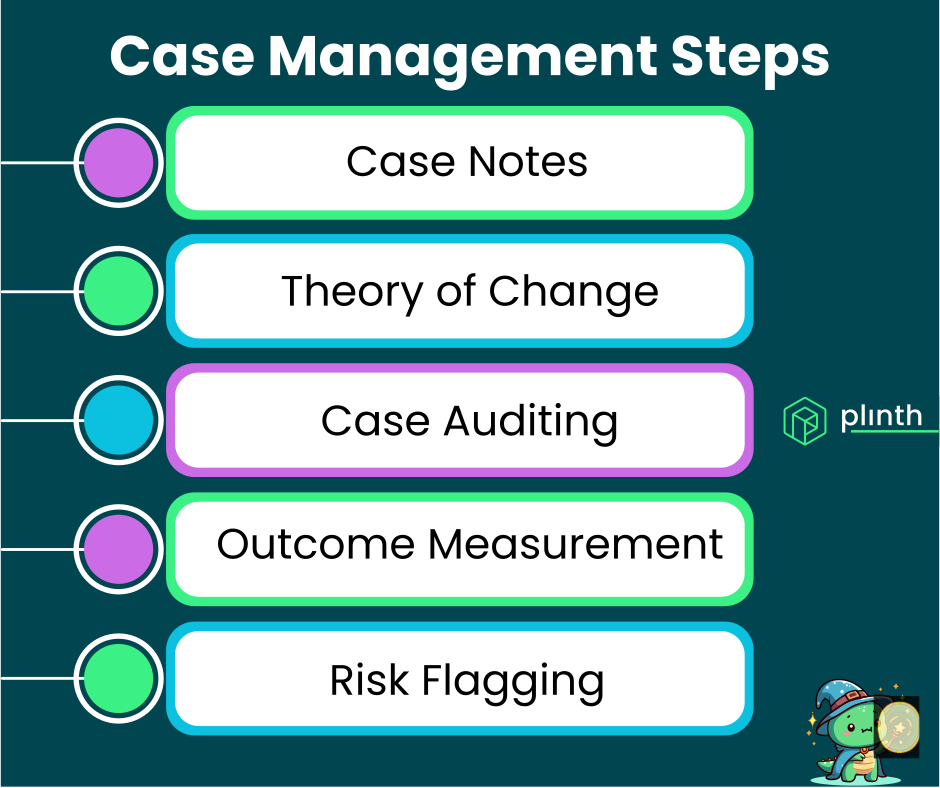
Choosing the right case management system is one of the most consequential technology decisions a charity, nonprofit, or local authority team will make. The right platform gives frontline workers the tools to focus on people rather than paperwork. The wrong one adds friction, creates compliance risks, and quietly undermines the quality of support you can deliver.
What you'll learn: The key categories of case management software, what separates good from great, and the specific criteria UK organisations should prioritise when evaluating systems.
Who this is for: Service managers, heads of operations, and digital leads in charities, local authority early intervention teams, and social care organisations looking to upgrade or replace their existing tools.
The Plinth perspective: We built Plinth specifically for charities and public sector teams. This guide is honest about what matters — and what the market often gets wrong.
Why the Choice of System Matters So Much
Case management software is not a neutral tool. It shapes how workers document, how managers supervise, how risks are spotted, and ultimately how much time is spent supporting people versus managing processes.
Worker Experience: A clunky, over-engineered system that staff resist using is worse than no system at all. The best platforms are intuitive enough that recording is faster than not recording.
Data Quality: The system determines the quality of information available for safeguarding, reporting, and service improvement. Poor systems produce poor data — even with great staff.
Compliance Exposure: In the UK, organisations handling personal data must meet UK GDPR requirements. The system you choose either simplifies compliance or creates risk.
Funder Confidence: Most grant funders now require evidence of outcomes. A well-chosen system makes impact reporting straightforward rather than painful.
The decision is worth taking time over — and getting right the first time saves significant disruption later.
The Main Categories of Case Management Software
Not all platforms are built with the same use cases in mind. Understanding the categories helps you avoid mismatches.
Generic CRM Platforms Adapted for Case Management
Tools like Salesforce, Dynamics, and some versions of Zoho are powerful but general-purpose. They require significant configuration to behave like case management software.
Pros: Highly customisable, well-established, large support communities.
Cons: Expensive to configure properly, ongoing technical maintenance required, often reflect their sales-CRM origins with fundraising and pipeline features prominent, lack of charity-sector-specific case management features out of the box.
Best for: Large organisations with in-house technical resource and complex, non-standard requirements.
Most small and medium charities find the configuration overhead and ongoing costs prohibitive.
Social Care Case Management Platforms
Platforms designed specifically for statutory social care are often over-engineered for voluntary sector or early intervention use, with long procurement processes and six-figure implementation costs.
Pros: Deep compliance with statutory frameworks, well understood by social care managers.
Cons: Very expensive, complex to implement, often unsuitable for prevention-focused or voluntary sector teams.
Best for: Large local authority statutory services with significant IT budgets and dedicated implementation teams.
Voluntary sector partners and early intervention teams attached to local authorities often find these tools unsuitable for their lighter-touch work.
Charity-Specific Case Management Platforms
Purpose-built tools like Plinth, Charitylog, Beacon, and Lamplight are designed from the ground up for charity and nonprofit service delivery. Each has different strengths — Charitylog has a long heritage in the voluntary sector, Beacon is widely used for donor and supporter management, Lamplight is a long-established UK case management option, and Plinth focuses on AI-assisted case recording for prevention and early intervention teams. The comparison pages linked here go into the trade-offs in more detail.
Pros: Right-sized for the sector, faster to implement, better value, intuitive for frontline workers, built-in reporting for funders.
Cons: Less customisable than enterprise platforms, may not suit very large or very complex statutory services.
Best for: Charities, community organisations, social enterprises, and local authority prevention and early intervention teams.
This is where most voluntary sector organisations and prevention-focused teams will find the best fit.
Spreadsheet and Database Solutions
Many organisations still rely on Excel, Google Sheets, or Access databases to track cases.
Pros: Familiar, free, flexible in the short term.
Cons: No audit trail, data security risks, no concurrent access control, no automated alerts, manual reporting, no purpose-built case-management AI, and limited scalability.
Best for: As a temporary measure only — spreadsheets are not a long-term solution.
See our full breakdown in Why Spreadsheets Fail as Case Management Tools.
What to Look For in a Case Management System
Regardless of which category you're evaluating, these criteria should guide your decision.
Ease of Use for Frontline Workers
The single biggest predictor of adoption is whether frontline workers find the system easy to use.
Real-World Testing: Ask for a demo and then ask one of your actual case workers — not your IT lead — to try it. Their reaction matters most.
Mobile Access: If your staff work in the community, they need a system that works on a tablet or phone, not just a desktop.
Speed of Data Entry: Time spent entering notes is time not spent with service users. The best systems make recording fast, not laborious.
Intuitive Navigation: Staff turnover in the charity sector is high. A system that requires weeks of training is a liability.
If staff don't use it, it doesn't matter how many features it has.
Case Tracking and Workflow Management
Custom Workflows: Look for the ability to create pathways tailored to your services. Plinth's workflow builder supports custom pathways with colour coding for visual identification.
Concern Level Indicators: The ability to flag cases as low, medium, or high concern is essential for safe prioritisation. See Understanding Case Concern Levels and Risk Assessment.
Caseload Visibility: Managers need to see their team's full caseload at a glance, not just individual cases.
Risk Identification and Early Warning
AI-Powered Analysis: Plinth's AI case analysis can surface risk indicators from case notes — flagging mental health concerns, safeguarding signals, and deteriorating situations.
Inactivity Alerts: Cases that haven't been touched for a defined period should be flagged for review.
The difference between a system that records what happened and one that helps you anticipate what might happen is the difference between reactive and preventive practice.
Data Security and UK GDPR Compliance
Data Residency: Is data stored in the UK or EU? This matters for data protection assessments.
Access Controls: Role-based permissions should ensure staff only see the cases relevant to their role.
Audit Trails: A complete record of who accessed what data and when is required for compliance.
AI and Data Use: If the system uses AI, check whether your data is used to train models. Plinth does not use your data to train AI models.
Reporting and Outcome Measurement
Built-In Reports: Standard reports covering caseload volume, concern levels, and closure reasons should be available without custom development.
Outcome Tracking: The ability to record and report on outcomes is increasingly required by grant funders.
A well-designed system turns routine data entry into a powerful evidence base for funding applications and service reviews.
Why Plinth Stands Out for UK Charities and Prevention Teams
Plinth was built specifically for the challenges frontline charities and public sector prevention teams face — not adapted from a generic platform.
Sector Language: The terminology reflects how charity and prevention teams actually work, not the language of sales pipelines or statutory social care.
AI That Saves Time: Generate case summaries, surface risk indicators, and answer natural language questions about case histories — all built in.
Trusted by Serious Organisations: Plinth is used by prevention and early intervention teams across London and beyond, including teams working alongside Camden Council, the London Borough of Newham, and the Royal Borough of Kensington and Chelsea. See Why Plinth Works for Local Authority Teams.
Pilot-Friendly: We support organisations who want to trial the platform with a small team before committing to a wider rollout — a low-risk way to evaluate fit.
For teams looking for a system that is easy to adopt, genuinely useful for frontline workers, and trusted by serious organisations, Plinth is a strong choice — and worth evaluating alongside the other purpose-built platforms named above.
Frequently Asked Questions
How do I know which system is right for my organisation?
Define Your Needs First: List the core things your system must do before looking at any platform.
Test With Real Users: Get a demo, then ask a case worker to try it. Their adoption is what will make or break the implementation.
Think About Tomorrow: Choose a system that can grow with you, not one you'll outgrow in two years.
Don't Over-Specify: Most organisations don't need the complexity of a statutory social care platform.
How much should a charity expect to pay?
Enterprise CRMs: Typically £20,000–£100,000+ per year once configuration and ongoing support are included.
Purpose-Built Charity Platforms: Typically £2,000–£15,000 per year for most small and medium charities, with transparent pricing.
Purpose-built charity platforms typically deliver the best value for the sector.
Can we run a pilot before committing?
Yes — and you should. Plinth actively supports teams wanting to start with a small pilot group before rolling out more widely. A well-run pilot removes most of the risk from a system change.
Recommended Next Pages
Why Plinth Works for Local Authority Teams – How Plinth serves local authority prevention services, including real experience with Camden, Newham, and Kensington and Chelsea.
Case Management for Early Prevention Teams – How prevention-focused teams have different case management needs and how to meet them.
Spotting Risks Before They Happen – How good systems surface early warning signs before a situation becomes a crisis.
Why Spreadsheets Fail as Case Management Tools – An honest look at why so many organisations outgrow spreadsheets.
The Complete Guide to Case Management – Comprehensive coverage of case management principles and features.
Last updated: 17 May 2026
Ready to find the right system for your team? Book a demo of Plinth or contact our team to talk through your requirements.